How to Install IPTV on Smart TV
Here is a step-by-step tutorial on How to Install IPTV on Smart TV:
- The process of configuring IPTV on Smart TV is quite simple. To make sure your device is compatible with streaming IPTV, you need to make sure your smart TV is Android OS.
- Open the Smart TV homepage, and click the Settings icon.
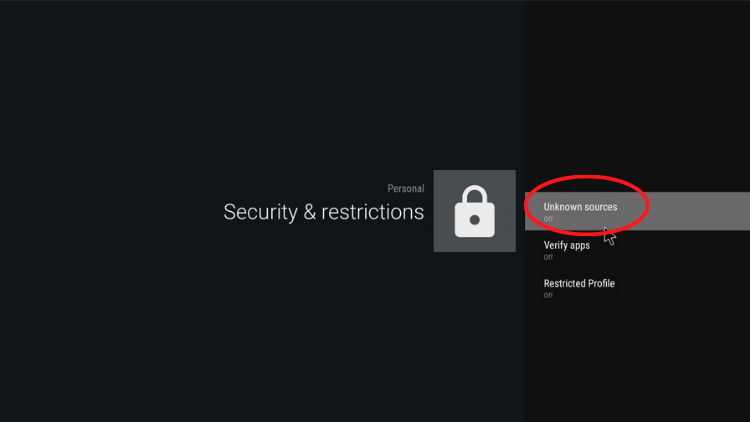
- Allow/enable Apps from Unknown Source.

- Open the ‘browser‘ on the smart TV, enter the IPTV download link to download the correct apk version you want and click on “Go.”
- Open the downloaded APK file and install it
- At the end of the installation. Click on the app to open it
Now, the IPTV installation on your smart TV has been completed.