How to Install IPTV on Nvidia Shield
Here is a step-by-step tutorial on How to Install IPTV on Nvidia Shield:
Step1: Enable applications from unknown sources on the Nvidia Shield
- Open the Nvidia Shield homepage, and click the Settings icon.
- Now, select “Device Preferences“.

- Next, select “Security & Restrictions” from the menu.
- Enable the “Unknown Sources” option. Make sure you’ve allowed app installations from “Downloads” next.
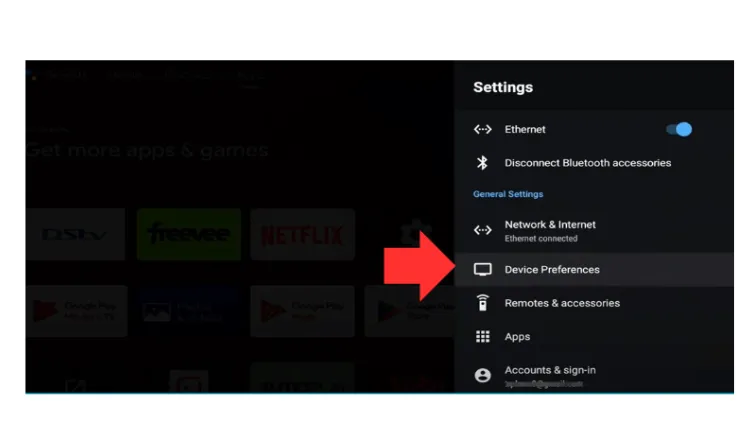
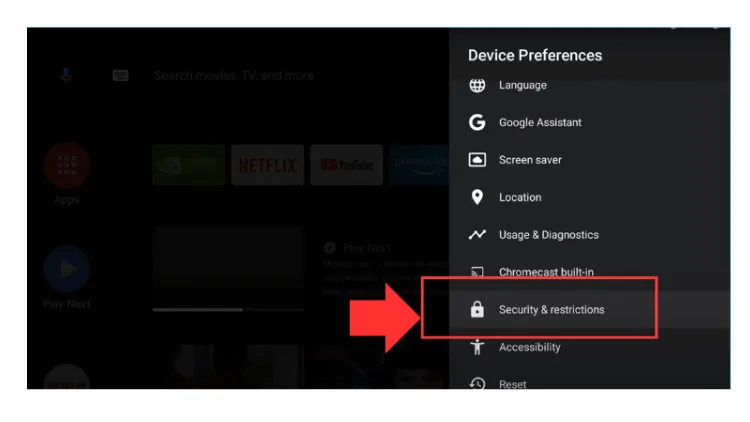
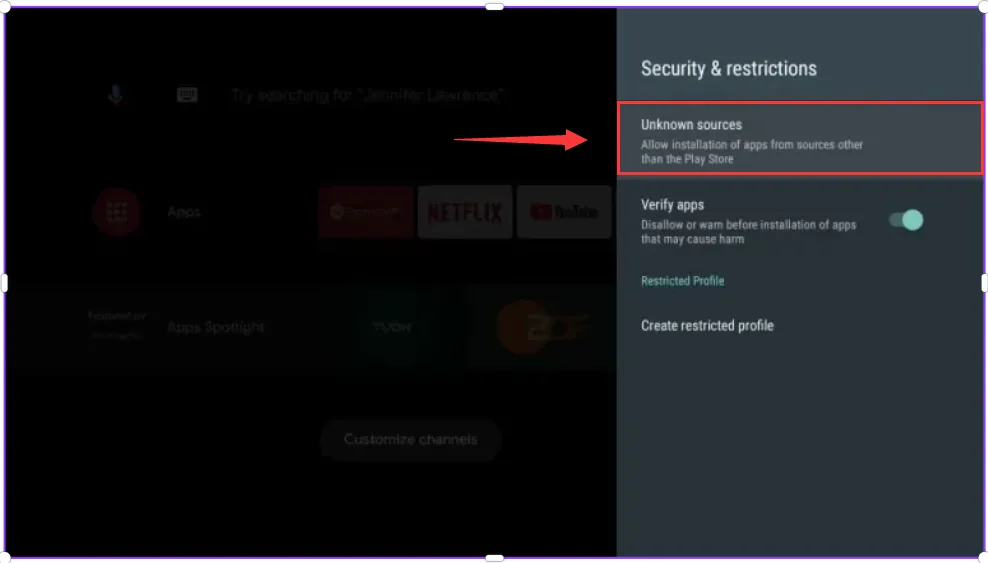
Now, your Nvidia Shield can install third-party applications.
Step 2. Install the Downloader APP on the Nvidia Shield
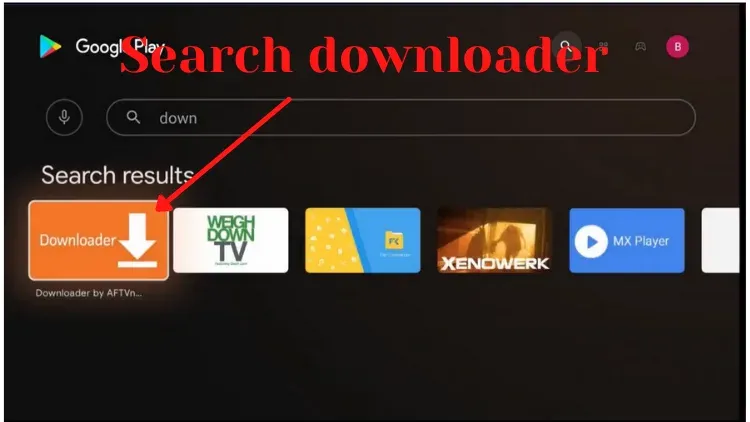
- Start the Google App Store and search for the Downloader. (If your Nvidia Shield already has Downloader installed, skip this step)
- Click on the Downloader icon, and then install it. Click “Open” when you are complete.
Step3 . Install the IPTV on the Nvidia Shield
- Start the downloader and allow access to all media files.
- Enter the IPTV download link to download the correct apk version you want and click on “Go.”
- After the download, click “Install” the application and click “Open“
Now, the IPTV installation on your Nvidia Shield has been completed.