How to Solve Audio and Video Asynchronism
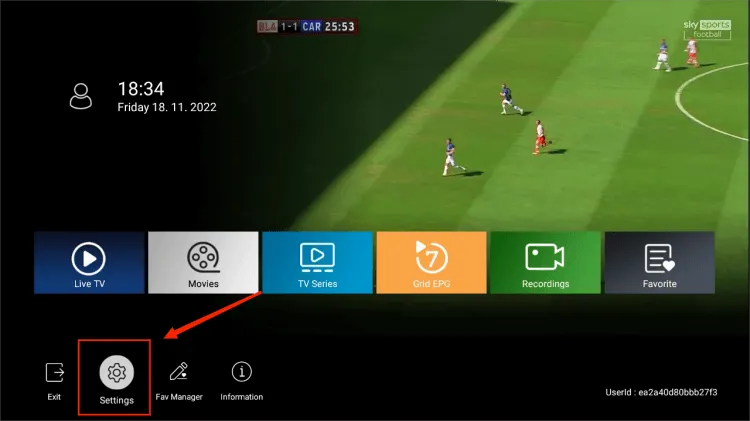
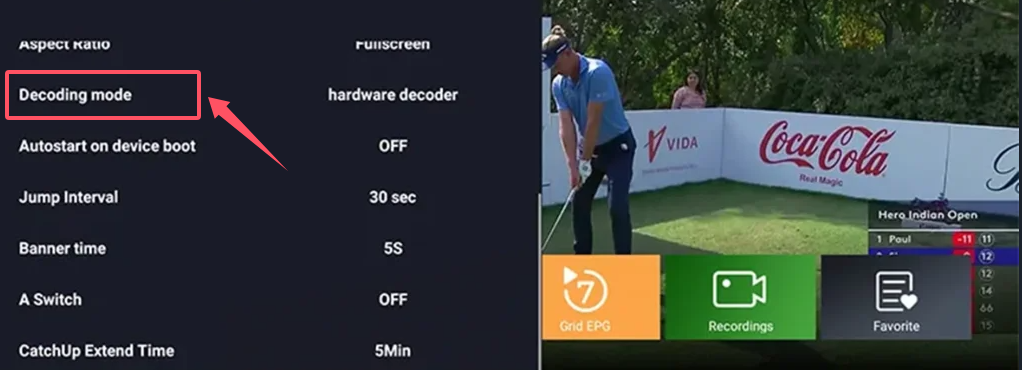
If you’re facing unsynchronized audio and video, follow these steps to switch to the Sync decoder:
- Open the IPTV App and go to Settings.

- Scroll to Decoder mode.
- Use the right arrow to select Sync decoder.
- Wait for two seconds, then click OK when prompted.
- Check if the audio and video synchronization issue is resolved.