How to Install XtrixTV App on Android TV / Box
Download link:
XtrixTV App for Android TV / TV Box / Firestick: https://www.topiptvguide.com/xtstb.apk
XtrixTV App for Android Phone: https://www.topiptvguide.com/xtpad.apk
XtrixTV Plus App for Android TV / TV Box / Firestick: https://www.topiptvguide.com/xtpstb.apk
XtrixTV Plus App for Android Phone: https://www.topiptvguide.com/xtppad.apk
Sub Device App for Android TV / TV Box / Firestick: https://www.topiptvguide.com/substb.apk
Sub Device App for Android Phone: https://www.topiptvguide.com/subpad.apk
How to Install and Activate
To install the XtrixTV app on your Android TV box, follow these steps:
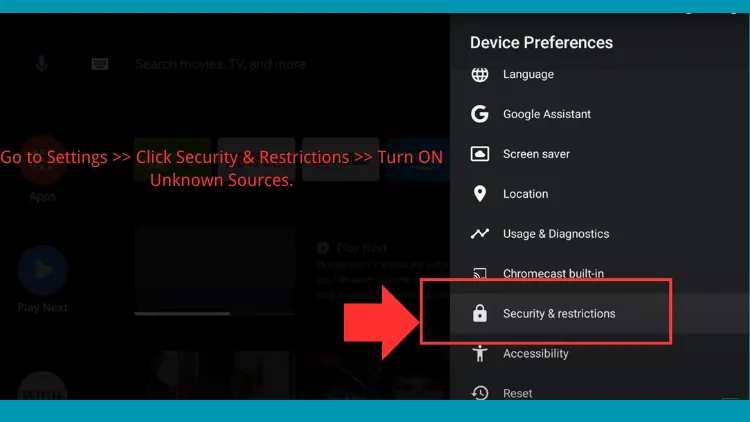
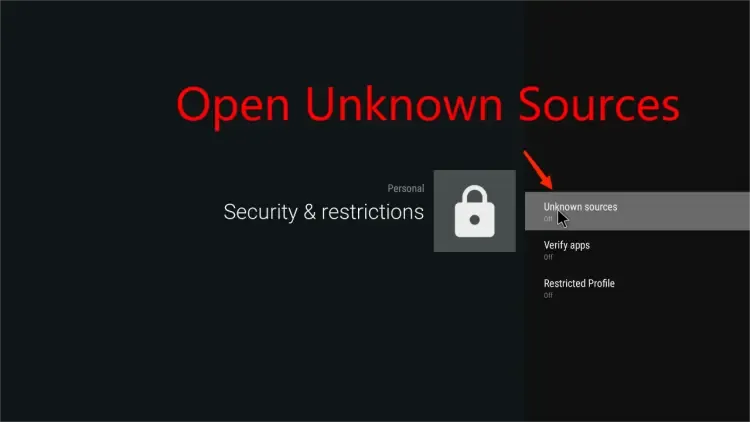
- Enable Unknown Sources:
- Go to Settings on your Android TV box.
- Navigate to Security & Restrictions.

- Turn on Unknown Sources to allow installation of apps from sources other than the Google Play Store.
- Download the XtrixTV APK:
- Open a web browser on your Android TV box.
- Enter the download link for the XtrixTV Apk.
- Download the XtrixTV APK file.
- Install the APK:
- Once the APK file is downloaded, locate the file using a File Manager app.
- Click on the APK file to start the installation process.
- Follow the on-screen instructions to install the app.
- Launch XtrixTV App:
- After installation, go to the Apps section on your Android TV box.
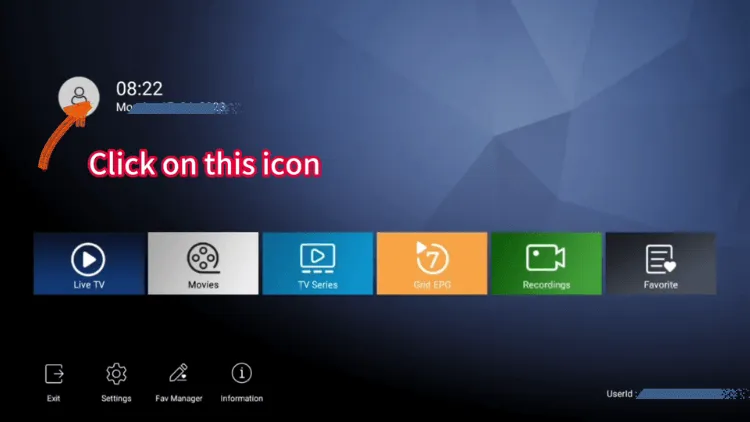
- Find and open the XtrixTV app.
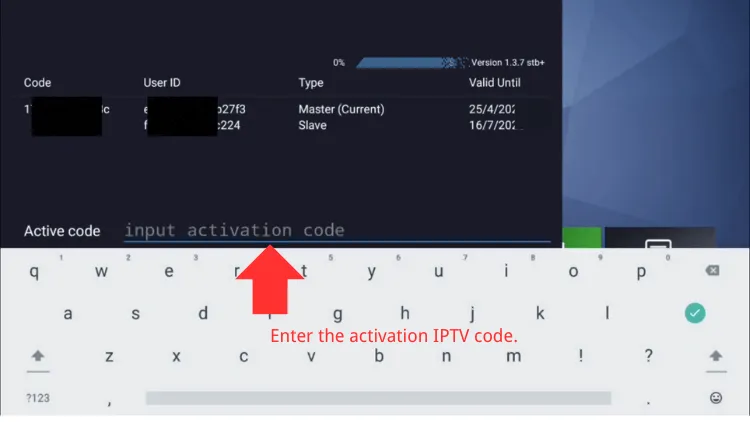
- Enter your IPTV code and complete activation.
Now you can enjoy the XtrixTV IPTV service on your Android TV box.